Celln documentation
Give agents a lease, not a machine.
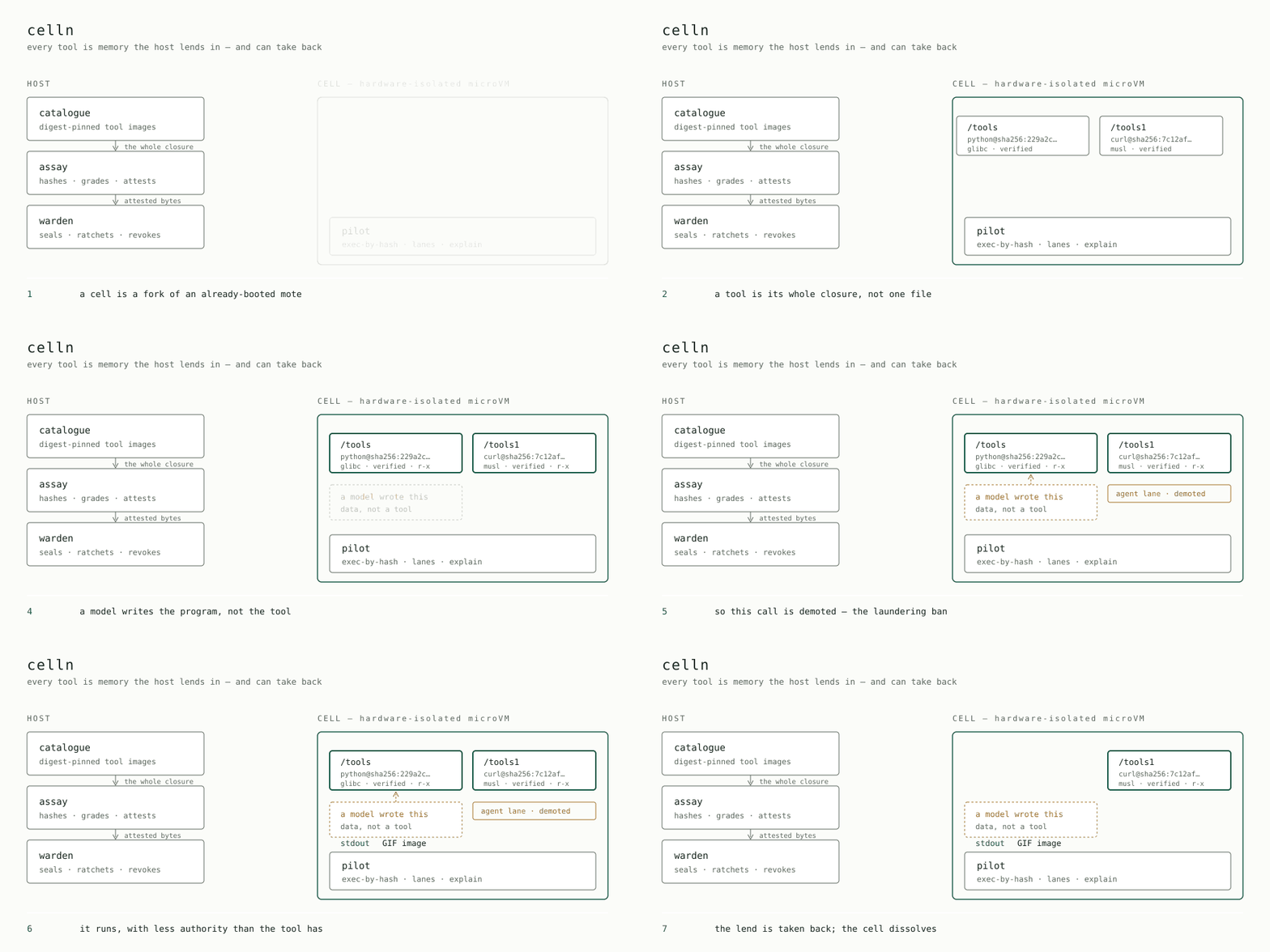
Celln runs agents in isolated cells. Instead of letting them assemble a Linux environment, the host lends verified tools as read-only memory—and can revoke them.
$ celln agent --tool python "decode this base64 and name the file type: R0lGODlhAQABAAAAACw="
  ✔ /usr/bin/python permitted in the agent lane
GIF image
Start here →
Install Celln, connect the agent CLI you already use, and run two small examples.
Tutorial →
Three worked cells: an agent using python, reaching a named host from a cell with no network, and two independent toolchains at once.
Concepts →
Mote and cell, tool lane and agent lane, and the security boundary they're enforced by — four short pages, in order.